
TABLE OF CONTENTS
Introduction
This article explains how Ardens resources can support your practice in delivering the 2025–26 COVID Spring vaccination programme in line with NHS England guidance.
Background
The NHS England guidance for the 2025-26 COVID spring season outlines the following vaccination schedule:
From 13th April 2026, the following groups are eligible:
- Adults aged 75 years and over
- Residents in a care home for older adults
- Individuals aged 6 months and over who are immunosuppressed (as per the Green Book)
How Ardens can help
Ardens resources support practices in planning, notifying, delivering, and evaluating vaccination uptake.
⚠️ Please note:
- Ardens searches use SNOMED codes, while the Green Book uses clinical definitions
- Not all eligibility criteria translate directly into coded data
- Business rules for payment may differ from clinical eligibility
- Clinical judgement should guide decisions in ambiguous cases
How to Access our Resources
- Go to Clinical Reporting.
- Expand Arden's Ltd folder.
- Select Vaccinations.
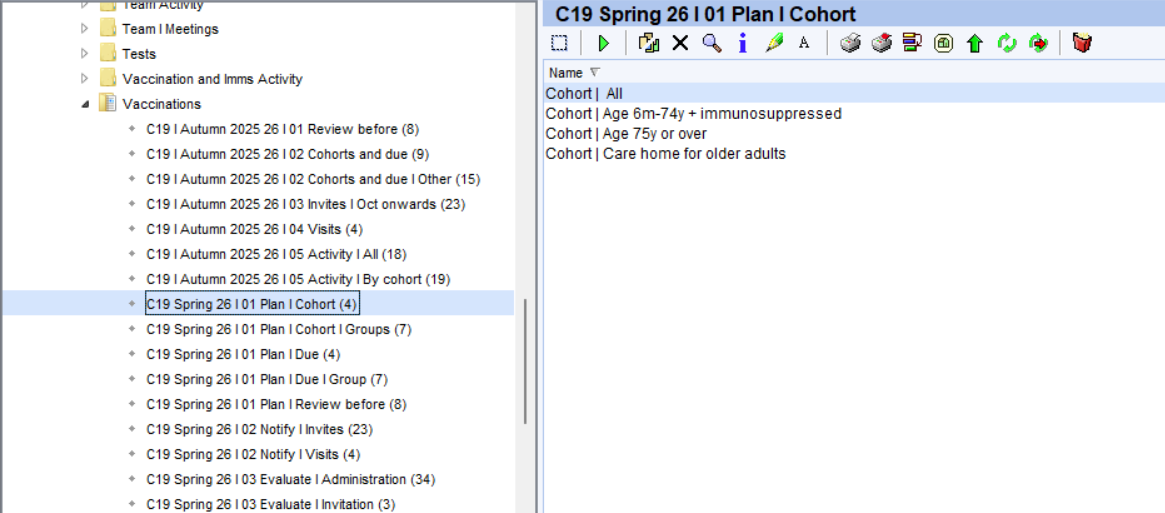
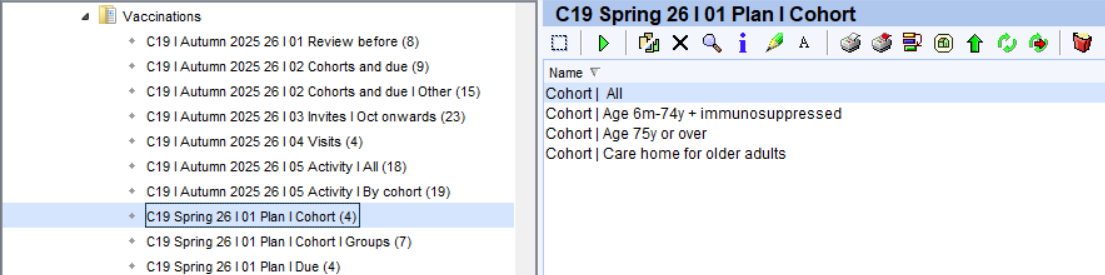
Plan
These resources help GP practices efficiently manage the COVID vaccination programme by identifying eligible patients, organising invitations and follow-ups - including special arrangements for care home and housebound patients.
Cohorts
Use these reports to estimate vaccine needs and plan stock orders. They are not designed for sending invitations:
- Cohort reports: Shows the total number of patients and by each eligible group, regardless of vaccination or declined status.
- Cohort groups: Shows the total number of patients by groups - asylum seekers, ethnic minority, homeless, housebound, learning disability, SMI and pregnant patients.
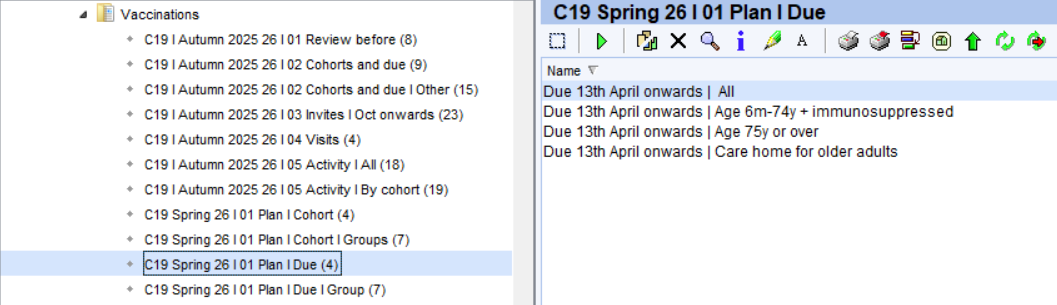
Due
These reports focus specifically on patients who are still outstanding for vaccination.
- Due reports: Shows the total number of patients and by each eligible group, regardless of vaccination or declined status.
- Due groups: Shows the total number of patients by groups - asylum seekers, ethnic minority, homeless, housebound, learning disability, SMI and pregnant patients.
⚠️ Please note:
- Patients will not appear in the Due reports until they are 3 months past their previous vaccine dose.
- Patients may appear in more than one cohort. These reports do not remove patients once invite codes are added, so using them for invites may result in duplicate communications.
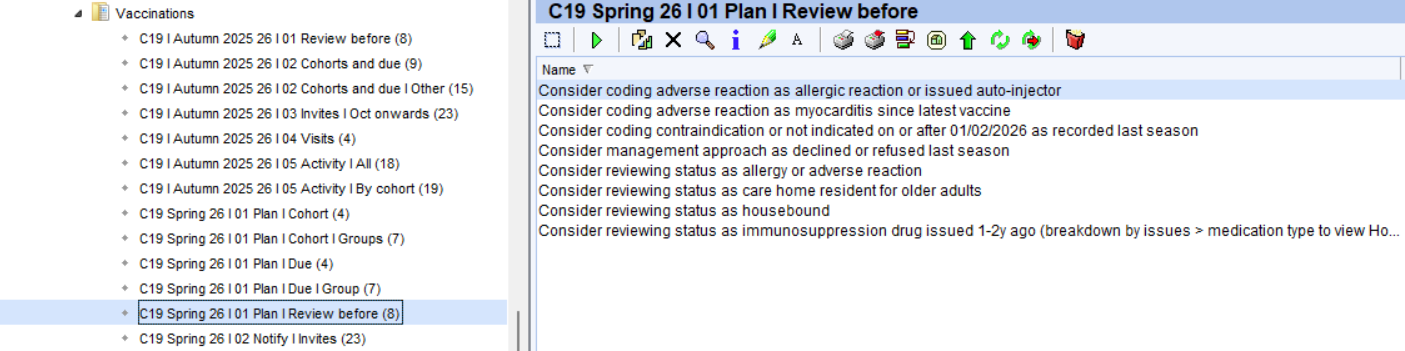
Review before
Before sending out any invites, we recommend reviewing the following reports. These help ensure your invite lists are accurate and clinically appropriate. Some examples include:
- Consider coding adverse reaction as allergic reaction or issued auto-injector: Highlights any patients coded with a history of an anaphylaxis or anaphylactoid reaction, or who have had an adrenaline auto-injector issued. Consider coding an adverse reaction.
- Consider coding contraindication: Identifies patients with a previous contraindication code recorded. Code for this season if appropriate.
Notify
Invites
Invite reports includes all eligible patients (excluding those patients living in a care home or are housebound). These are broken down by 1st, 2nd and 3rd invites.
You can then see breakdowns by cohort or communication method:
- All cohort
- Patients with LD, SMI, Dementia, End of Life, or Reasonable Adjustments
- Contact method (SMS, email, letter, none)
You can export invite lists to CSV and send messages using Accurx, SystmOne Communication Annexe or another third-party platform. Please see this support article for further information on how to do this.
Additional Notes: Patients with a preferred contact method of ‘No Communication’ will appear in a separate folder and should be reviewed manually.
Invitation Coding: After inviting a patient, ensure the appropriate invitation SNOMED code is added to their record. This ensures they move to the correct 2nd or 3rd invite list. Always verify codes before use. A full list is available in our invite code guide.
⚠️ Please note: Fourteen days after one of the following codes has been added, the patient will automatically appear on the 2nd or 3rd invite list if they have not yet received their vaccination.
SARS-CoV-2 (severe acute respiratory syndrome coronavirus 2) vaccination telephone invitation | 1402931000000100 |
SARS-CoV-2 (severe acute respiratory syndrome coronavirus 2) vaccination first telephone invitation | 1402941000000109 |
SARS-CoV-2 (severe acute respiratory syndrome coronavirus 2) vaccination second telephone invitation | 1402951000000107 |
SARS-CoV-2 (severe acute respiratory syndrome coronavirus 2) vaccination third telephone invitation | 1402961000000105 |
SARS-CoV-2 (severe acute respiratory syndrome coronavirus 2) vaccination invitation email | 1403101000000104 |
SARS-CoV-2 (severe acute respiratory syndrome coronavirus 2) vaccination invitation first email | 1403111000000102 |
SARS-CoV-2 (severe acute respiratory syndrome coronavirus 2) vaccination invitation second email | 1403121000000108 |
SARS-CoV-2 (severe acute respiratory syndrome coronavirus 2) vaccination invitation third email | 1403131000000105 |
SARS-CoV-2 (severe acute respiratory syndrome coronavirus 2) vaccination invitation letter | 1402921000000102 |
SARS-CoV-2 (severe acute respiratory syndrome coronavirus 2) vaccination invitation first letter | 1403071000000108 |
SARS-CoV-2 (severe acute respiratory syndrome coronavirus 2) vaccination invitation second letter | 1403081000000105 |
SARS-CoV-2 (severe acute respiratory syndrome coronavirus 2) vaccination invitation third letter | 1403091000000107 |
SARS-CoV-2 (severe acute respiratory syndrome coronavirus 2) vaccination invitation SMS text message sent | 1240781000000106 |
SARS-CoV-2 (severe acute respiratory syndrome coronavirus 2) vaccination invitation short message service text message | 1403031000000106 |
SARS-CoV-2 (severe acute respiratory syndrome coronavirus 2) vaccination invitation first short message service text message | 1403041000000102 |
SARS-CoV-2 (severe acute respiratory syndrome coronavirus 2) vaccination invitation second short message service text message | 1403051000000104 |
SARS-CoV-2 (severe acute respiratory syndrome coronavirus 2) vaccination invitation third short message service text message | 140306100000010 |
⚠️ Please note: Always check the code each time when adding to the patient record. Ardens are not responsible or liable for the codes above and any incorrect code being batch added to the patient records.
Navigate to Arden's Ltd > Vaccinations > C19 | Autumn 2025 26 I 03 Invites.
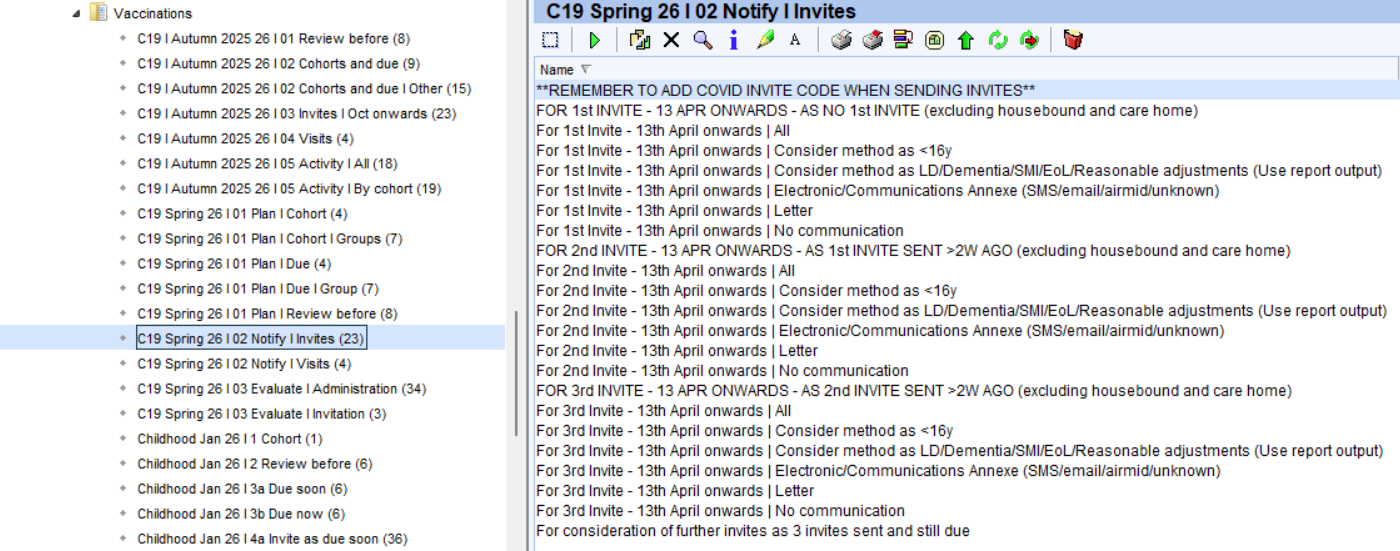
Practices can run the report, then:
- Right click on report > Show Patients
- Select Pre-defined report output > Consider Invite Method - LD/SMI/Dementia/EOL/RA
Visits
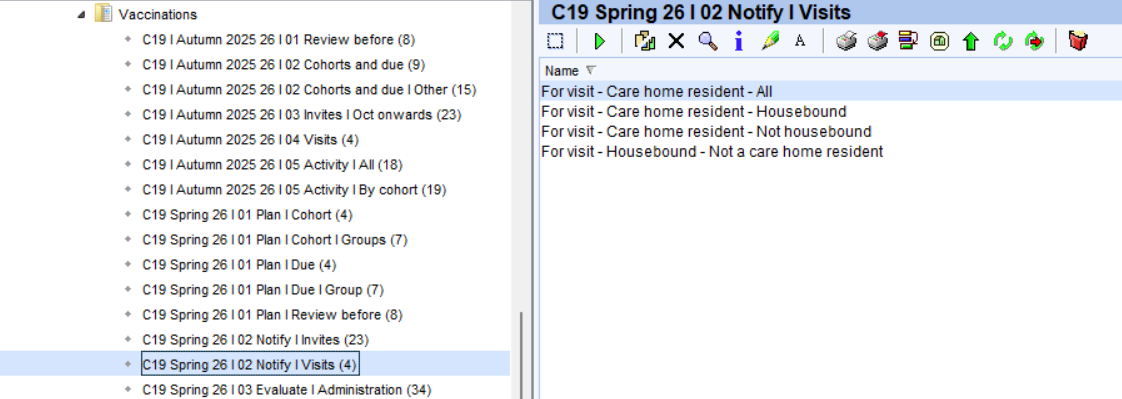
Separate visit reports are provided for housebound and care home residents to support planning outside of general invite workflows:
- Care home residents (housebound / not housebound)
- Housebound but not in a care home
Care home residents and housebound patients are excluded from all the Invite folder. The reports in the 'Visits' folder provide visit lists that can be used to assist in planning these vaccinations.
Evaluate
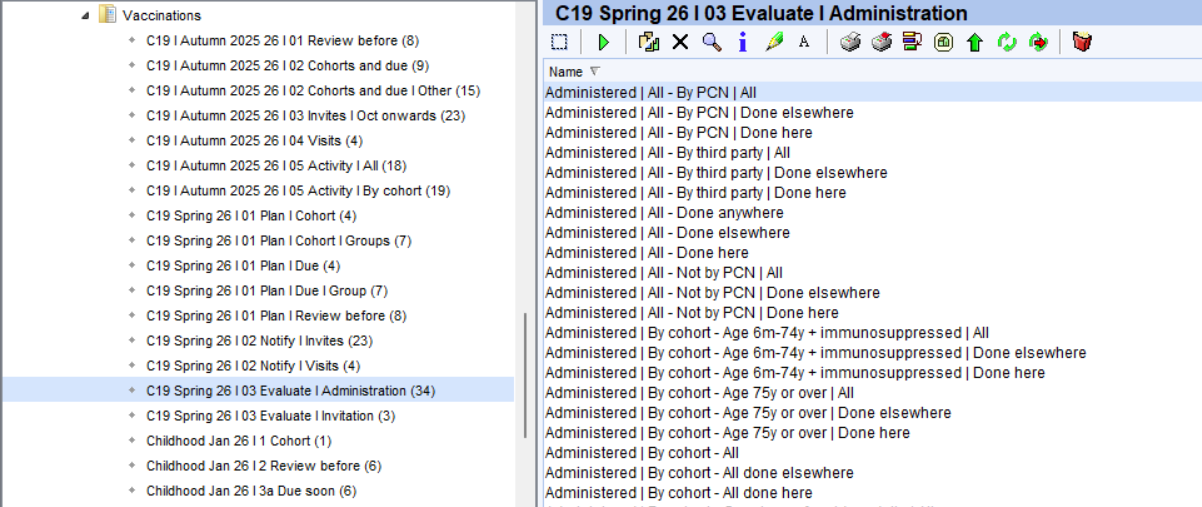
These resources help practices manage and monitor the COVID vaccination programme by tracking vaccination uptake and providing dashboards to analyse and target patient groups more effectively.
Activity
- Administration: Monitors vaccine uptake for all cohorts and those not administered due to no response, contraindications and declines.
- Invitation: Highlights the number of invitations sent.
Insights
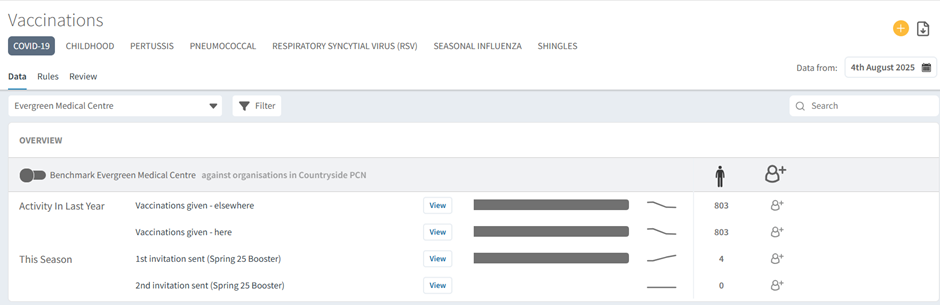
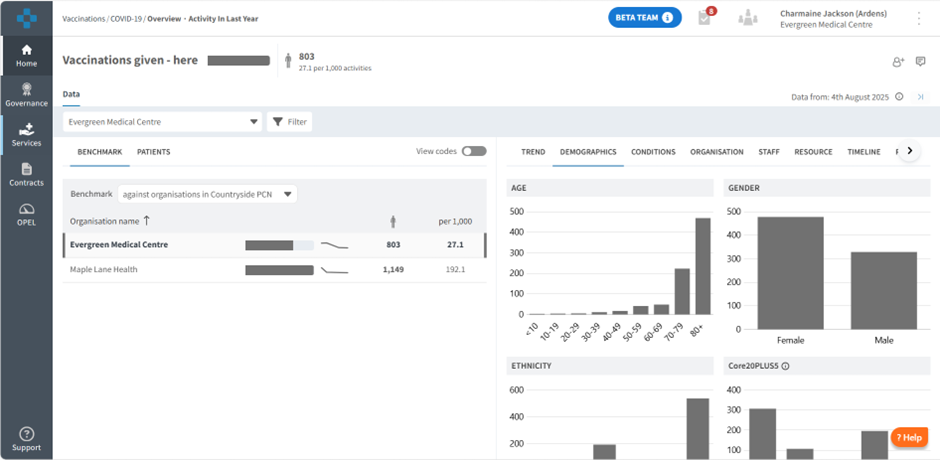
For Ardens Manager subscribers, the Vaccinations dashboard provides a clear visual overview of:
- Eligible cohorts
- Number of invitations sent
- Vaccination uptake rates
You can also filter and analyse data by:
- Clinical risk groups
- Low uptake groups
This helps you prioritise and target specific patient populations more effectively.
Login to Ardens Manager and access Services > Vaccinations.
Additional Learning
To further your understanding of the flu vaccination programme and how to make the most of Ardens resources:
- Explore more helpful resources in our Vaccination Support Articles
If you require any further assistance on the process above, please contact Ardens support on: