TABLE OF CONTENTS
Introduction
This article explains how to use the Ardens Stop Smoking Clinic resources to support structured smoking cessation consultations. By the end of this article, you will be able to deliver a Stop Smoking consultation using the Ardens template and accurately record outcomes for follow-up and reporting.
Background
Smoking cessation support is a key preventative intervention in primary care. These clinics provide a range of proven methods to help patients quit smoking, from providing accurate information and advice, as well as professional support and easy access to treatments such as nicotine and medicines.
This article may be suitable for:
- Practice nurses and HCAs delivering smoking cessation
- GPs providing brief interventions
- PCN staff running smoking clinics
- Practices needing consistent coded outcome recording
How Ardens can help
Ardens provides a structured Stop Smoking Clinic template to ensure accurate coding of a patient's assessment, quit date and follow-up appointments. Additionally ,there are reports and dashboards to help practices analyse the data and outcomes of these appointments for the NHSE Data Submission.
How to Access our Resources
- Click Auto-Consultation.
- Select ardens NURSES and HCAs > Stop Smoking Clinic.
- Alternatively, search for the template via the SystmOne search bar, bottom left-hand corner or add to your F12 key (access this support article for instructions on using the F12).
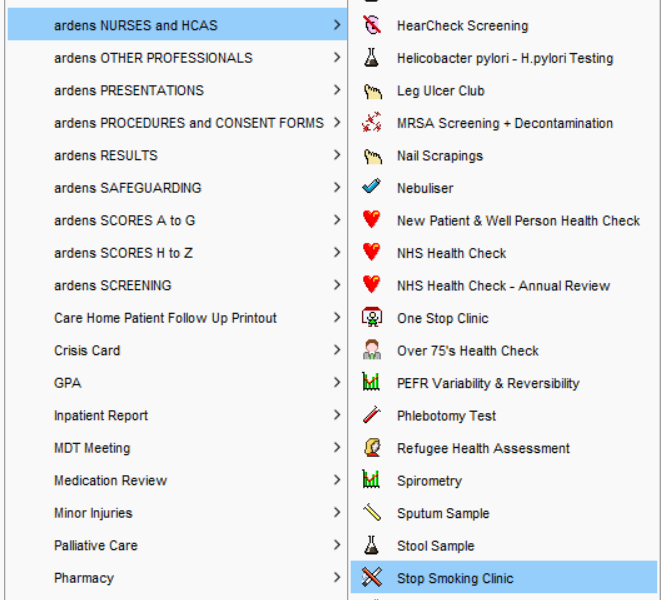
Consultation
The Stop Smoking Clinic template provides a structured framework to support assessment, advice, and treatment planning during the consultation.
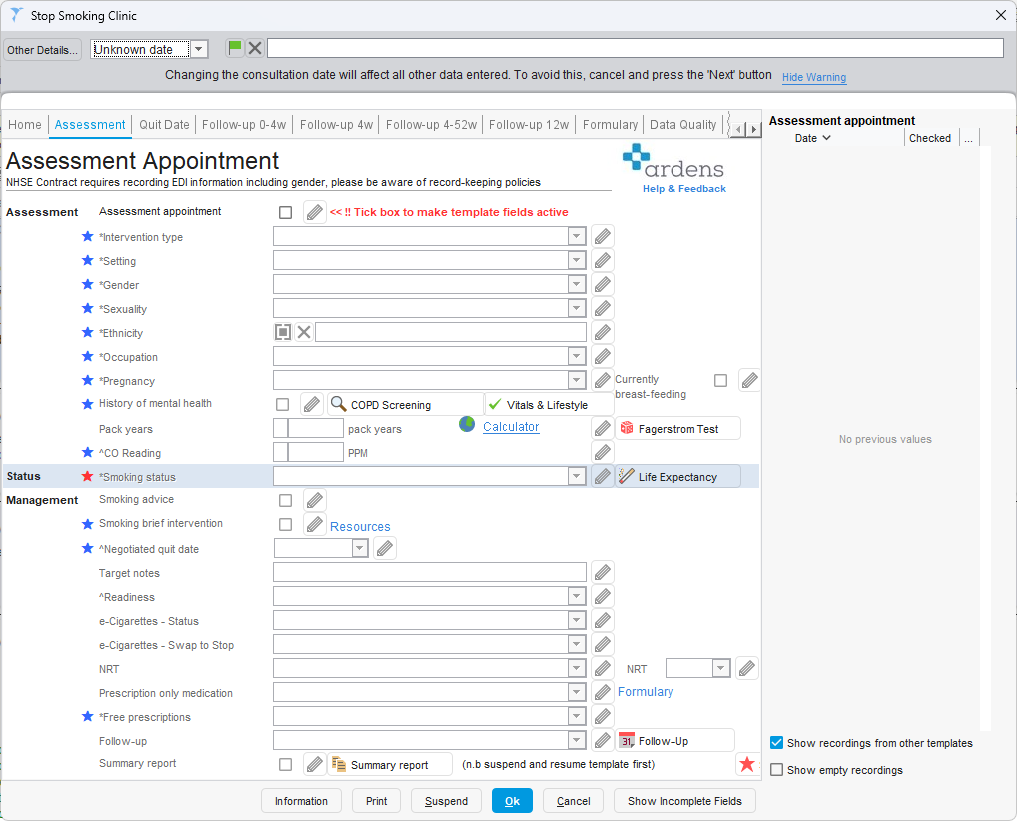
Assessment Appointment
During the initial consultation, the clinician is guided through a structured assessment of the patient's smoking status, nicotine dependence and readiness to quit. The template supports a meaningful discussion about motivation, previous quit attempts and available treatment options, helping the clinician and the patient agree on a realistic quit date. Follow-up is arranged at this stage to provide continued support.
⚠️Please Note: The NHSE Stop Smoking Clinic contract requires documentation of equality, diversity and inclusion data, including gender. When collecting and recording this information, please ensure this is done sensitively and in line with NHSE record-keeping policies and data governance requirements.
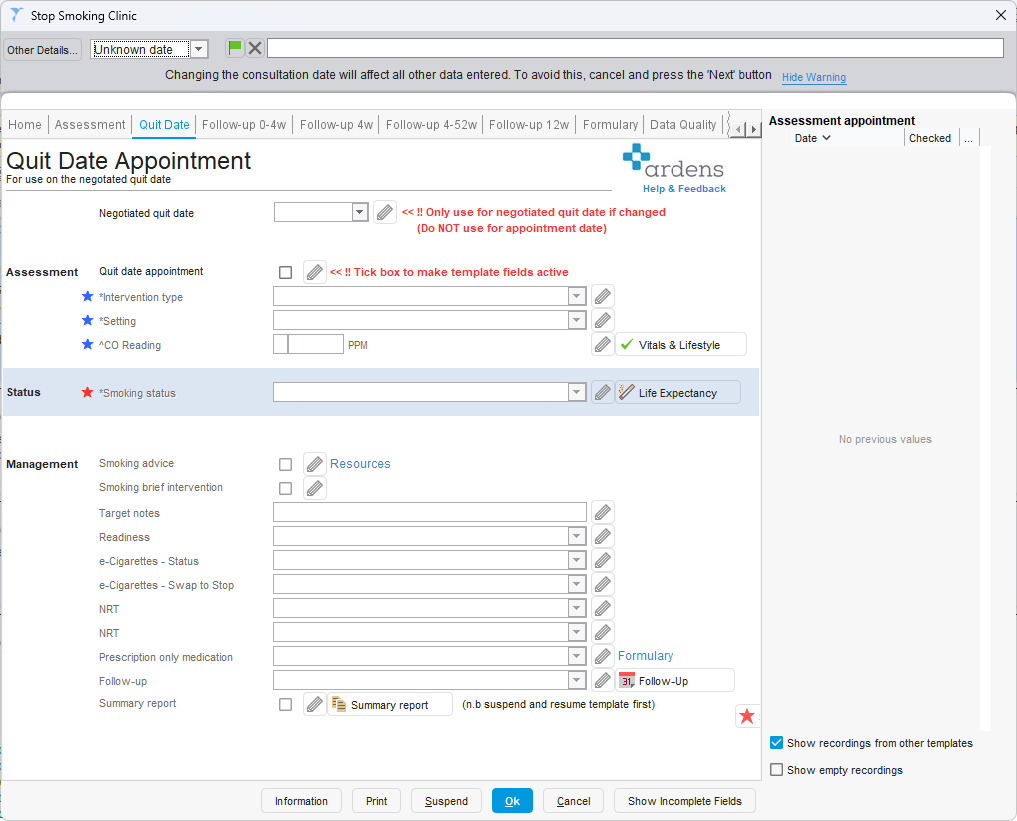
Quit Date Appointment
At the agreed quit date, the focus shifts to supporting the patient in their smoke-free journey. Smoking status is confirmed and CO readings recorded where appropriate. The template also provides an opportunity to document the support provided and agree on ongoing follow-up plans. The negotiated quit date field should only be amended if the agreed date changes.
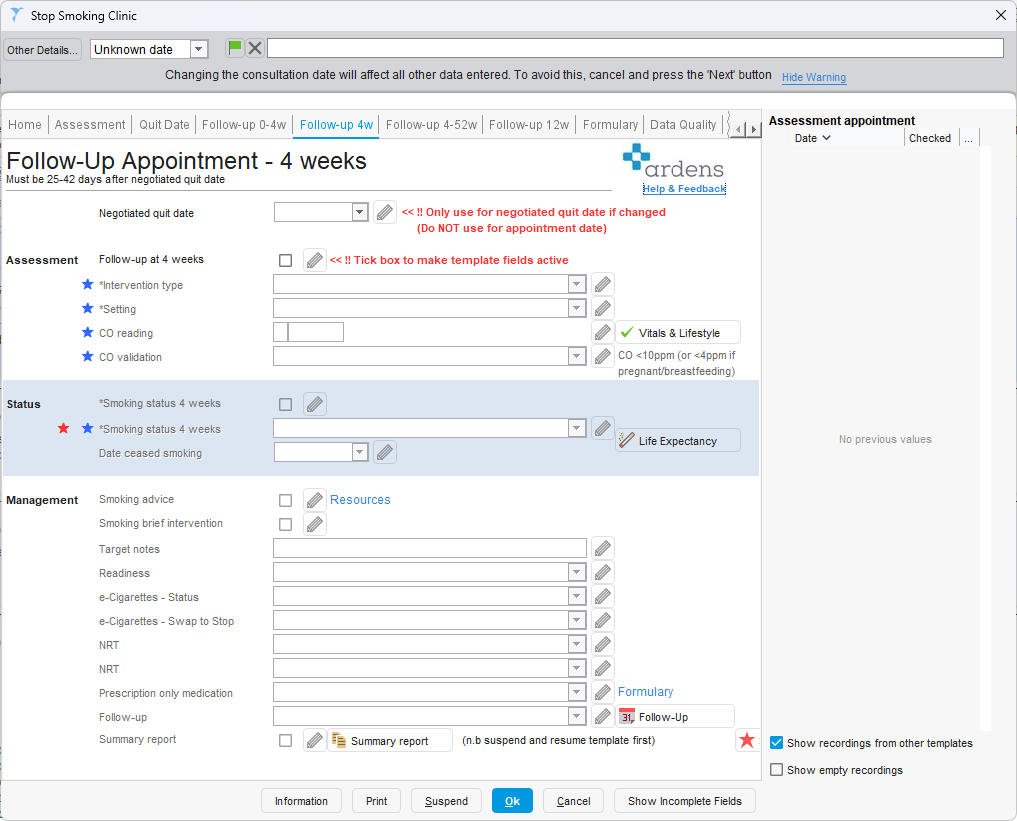
Follow-Up Appointments
Follow-up appointments help maintain support and help reduce the risk of relapse. Each allows for ongoing monitoring, treatment adjustment and accurate outcome recording.
- 0–4 Weeks: For early reviews to support the patient during the first four weeks after the agreed quite date, to monitor progress and address any challenges.
- 4 Weeks: Formal review to record the 4-week quit outcome ().
- 4–52 Weeks: Interim reviews between the 4-week and 12-month period to monitor ongoing progress, provide support, and adjust treatment as needed (excluding the dedicated 12-week review).
- 12 Weeks: Formal review to record the 12-week quit outcome (12–14 weeks after the quit date) and reinforce relapse prevention strategies.
⚠️ Please note: Each follow-up page should only be used at the appropriate milestone.
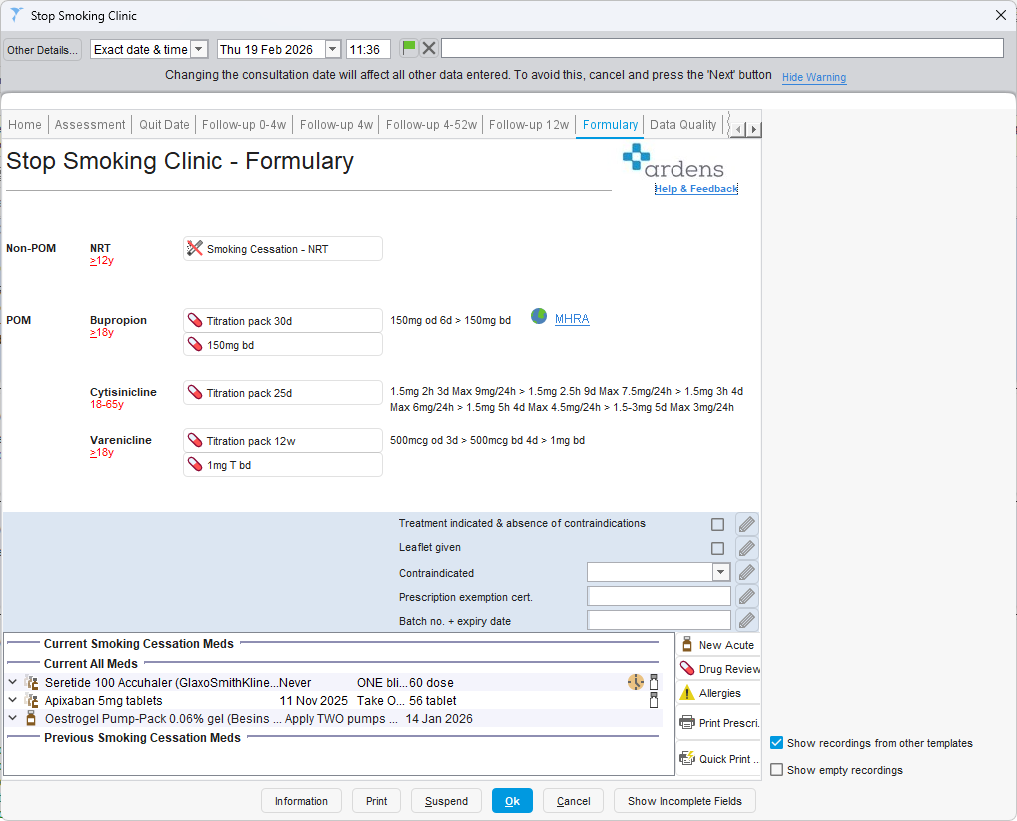
Clinicians can use the to access prescribing guidance in line with the latest NICE guidance. This supports safe, consistent, and effective prescribing.
A Formulary hyperlink is available on all Stop Smoking Clinic pages, allowing you to navigate directly to the prescribing section when required.
The Formulary page enables clinicians to initiate and manage smoking cessation medication without leaving the template. From here, you can generate acute prescriptions using the buttons at the top of the page.
The patient’s current medication is displayed at the bottom of the screen, allowing you to review existing treatment and right-click to issue or amend prescriptions as needed.
Additional action buttons in the bottom right-hand corner provide quick access to the drug browser, drug review recording, allergy recording, and the option to print or send prescriptions immediately rather than waiting until the consultation is saved.
Data Quality
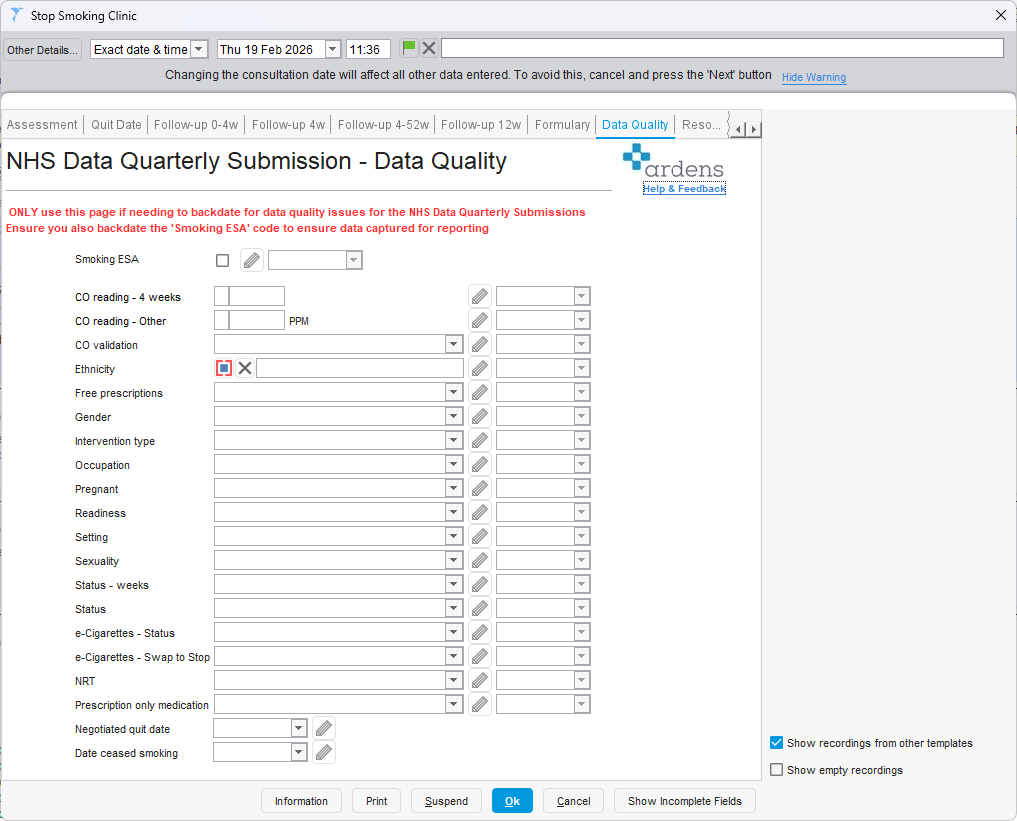
The Data Quality page is designed to support retrospective corrections or backdating of activity for NHS quarterly data submissions.
It should not be used during routine consultations. Instead, it is intended for situations where previously completed activity needs to be recorded or amended to ensure accurate and complete reporting.
Resources
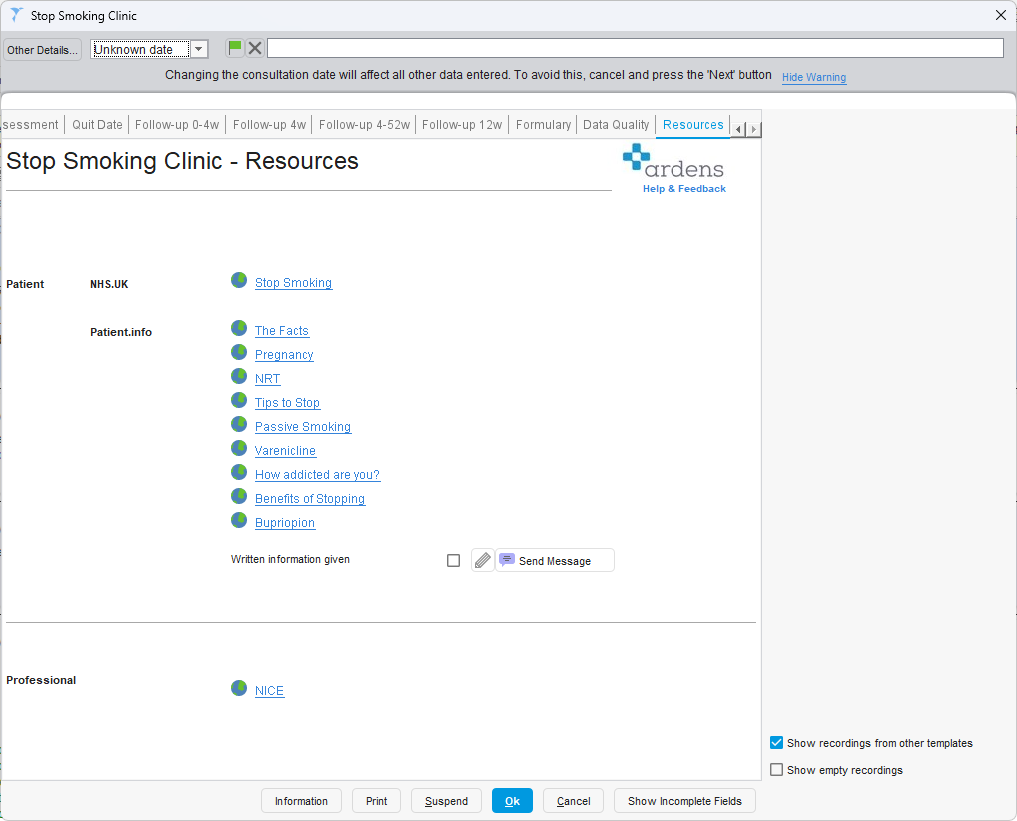
The Resources page provides quick access to trusted patient and professional information to support smoking cessation discussions during the consultation. It enables clinicians to share reliable resources, reinforce behavioural strategies, and support informed decision-making around medication options.
Evaluate
Ardens Manager Dashboard
Use this to track activity and monitor payments at both a GP Practice and Council level. Breakdown the results by LSOA and other demographics and segments too for further analysis. For further information on Ardens Manager, access our
website.
These can be provided as part of the Ardens Manager Public Health Contracts. For further information, please contact us (support@ardens.org.uk).
Additional Support
To further your understanding of the Ardens resources:
If you require any further assistance on the process above, please contact Ardens support on: